


Real Guitar - Music Band Game
3.113.91K Reviews
App Specs
- Version
- 3.41
- Updated On
- License
- Free
- Downloads
- 100,000,000+
- Developer
- Gismart
- Categories
- Music
- Platform
- Android, iOS
Screenshots

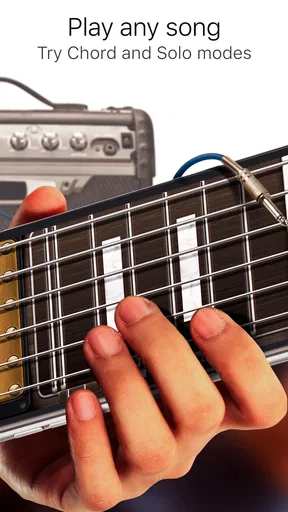
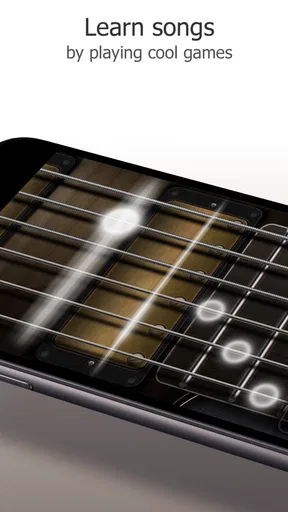
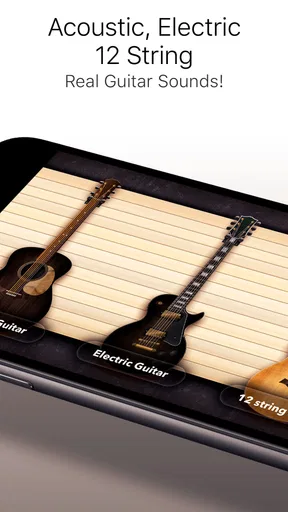
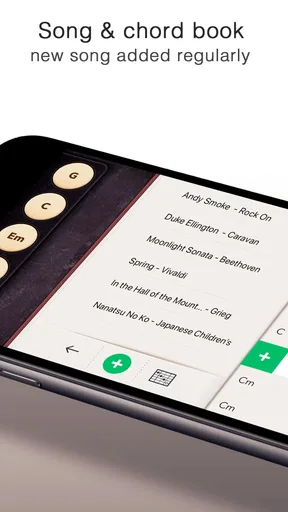
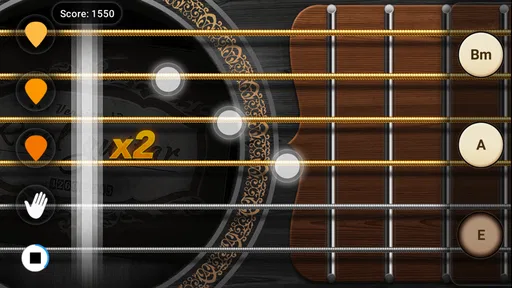
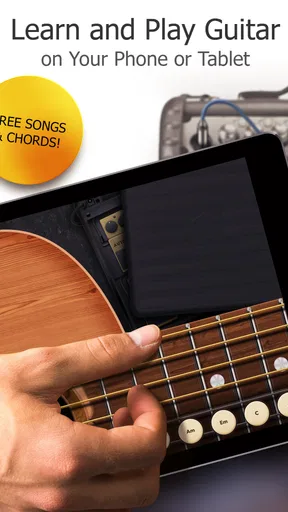
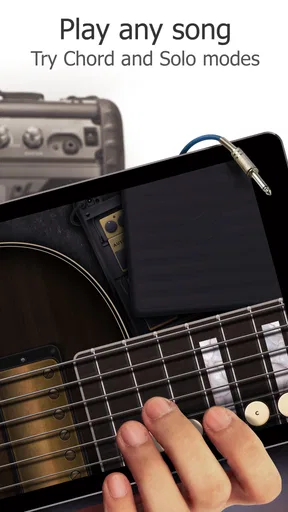
 Analysis by AppCompare
I’ve found Real Guitar - Music Band Game easiest to appreciate as a shared musical toy: one person can try a chord, pass the phone to someone else, and turn a quiet spare moment into a little jam. It is a free music game from Gismart, and its appeal is less about replacing a physical instrument than making guitar sounds and simple musical experiments immediately available. That distinction matters in a household, where people may want to explore without moving a full-size guitar, tuning it, or taking turns with one instrument.
A guitar app that works in short shared sessions
The touch-screen format suits casual visits to the living room, a wait before dinner, or a break when someone has a few minutes to spare. A child can tap through sounds while an adult tries to work out a chord progression; friends can compare acoustic and electric tones without needing separate instruments. I would treat those moments as playful exploration rather than a structured lesson. A phone can invite someone to try making music, but it cannot give the physical feedback of pressing real strings or teach the hand strength that comes with an actual guitar.
For a shared device, the simplest approach is to agree on a turn-taking routine before opening the game. One person can choose the sound and play for a short stretch, then hand over the phone rather than changing settings while another person is trying to follow along. That small bit of coordination helps keep a casual session from becoming a tug-of-war over songs, controls, or who gets to play next. It also makes the app more useful as a group activity than as a competition to see who can make the loudest noise.
Guides and Analysis on Real Guitar - Music Band Game
Set expectations before handing over the phone
Because this is a game with musical tools rather than a complete course, I would explain what a beginner can reasonably get from it. It can help someone recognize chord shapes, experiment with strumming, and hear the difference between guitar tones. It should not be presented as proof that a player has learned to fret a guitar correctly. If a household member is serious about taking lessons, the app can be a low-pressure companion, but practice on a real instrument and feedback from a teacher remain important.
The free entry point makes it easy to try before deciding whether it belongs in a regular routine. Still, the experience may include interruptions and some content is restricted unless you pay, so I would not promise a child an uninterrupted, unlimited song library. In-app purchases range from $1.99 to $89.99 per item, which is a wide span; before handing over a device, I’d make sure whoever controls purchases has set expectations for spending. That is a practical boundary, not a reason to avoid the app altogether.
Taking turns without turning practice into a contest
Its social and competitive elements can motivate some players, but they may not suit every shared session. A leaderboard can make personal practice feel like a ranking exercise, and sharing a recording is different from simply playing privately on the phone. I’d let each person choose whether to record or share rather than treating those options as part of the activity. For younger users, it is sensible for an adult to stay involved when anything moves beyond playing on the device, especially if a child is unsure what a sharing action will do.
A useful household routine is to pick one modest goal for each turn: find a chord, keep a steady pulse, or try the same passage with another sound. Then the next player can build on that rather than starting over with a new challenge. This works particularly well when a beginner and a more confident player are sharing the screen, since the experienced person can demonstrate a pattern while the beginner imitates it. The app’s value here is the quick handoff between listening and trying, not a formal teacher-student system.
Worth Reading Before You Choose

Basketball Stars: Multiplayer Is Fast, but Can It Recover When Matches Go Wrong?

WEBTOON Turns Phone Updates Into a Better Reading Routine

Link to Windows Runs on Shared Habits, Not Social Feeds

How Alibaba.com Dominates the B2B Marketplace

Metro's Quiet Rise: Redefining Mobile Communication

Harnessing Ecosystem Power with Phone Tracker by Number
Who will enjoy it, and who may prefer another route
I’d recommend it to curious beginners, casual music fans, and households that want an easy way to explore guitar sounds together. It is also handy for someone who already plays and wants a quick way to test a chord idea when a guitar is not nearby. On the other hand, a learner who needs detailed technique correction, a reliable path through a full course, or the tactile feel of strings will be better served by lessons, a physical instrument, or a dedicated learning tool built around guided instruction.
Compared with a standard guitar-learning app, this game leans more toward immediate play and sound experimentation than a carefully paced curriculum. Compared with a real guitar, it is far easier to pick up for a minute and much less demanding to share, but touch input cannot reproduce the resistance and finger placement of strings. I see that as a clear trade-off rather than a flaw to overlook: it lowers the barrier to trying music, while leaving a gap for anyone whose goal is to develop real playing technique.
First Impressions and Features
Once you fire up the game, you’re immediately greeted with a sleek and user-friendly interface. The app is designed to simulate the experience of playing a real guitar, and it offers a variety of modes to choose from. Whether you're a beginner or a seasoned guitarist, there's something for everyone.
The app boasts an impressive library of guitar chords and a range of songs that you can learn to play. The realism is quite astonishing, thanks to the high-quality sound output that mimics real guitar strings. You can choose between acoustic and electric guitar sounds, which is perfect for those who want to experiment with different genres.
Getting Started: Easy Peasy!
For someone who's never picked up a guitar before, the app makes it super easy to start strumming. There’s a tutorial mode that guides you through the basics, teaching you how to position your fingers correctly and strum the strings. I found the instructions clear and straightforward, making it accessible for all ages.
If you're more advanced, you can jump into the expert mode and challenge yourself with complex songs. The app also includes a metronome and a backing track feature, so you can practice keeping time and playing along with other instruments. This was a game-changer for me, as it helped improve my timing and rhythm.
Customization and Social Features
One of the coolest aspects of this app is the level of customization it offers. You can adjust the string tension, customize the fretboard, and even choose from different guitar skins. This level of personalization makes the experience feel more authentic and engaging.
But what really sets this app apart is its social component. You can record your performances and share them with friends or on social media platforms. There’s even a leaderboard where you can see how you stack up against other players worldwide. It adds a competitive edge to your practice sessions, which I found incredibly motivating.
Challenges and Areas for Improvement
While the app is a fantastic tool for learning and entertainment, it does have a few areas that could be improved. For instance, the free version has limited access to songs and can be a bit ad-heavy, which might interrupt your practice flow. However, upgrading to the premium version unlocks a treasure trove of features and removes those pesky ads.
Another point worth mentioning is the app's battery consumption. Given the high-quality audio and graphics, it can drain your battery faster than usual. So, it’s best to have a charger nearby if you plan on having a long jam session.
Final Thoughts: A Strum Worth Taking
Overall, Real Guitar - Music Band Game is a fantastic app for anyone looking to learn guitar or simply have fun with music. Its blend of realistic sound, user-friendly interface, and social features make it a standout choice in the music app category. Whether you’re a beginner eager to learn or a pro looking to try out new tunes, this app has something to offer.
It has been around since May 17, 2013, and its current version is 3.41, with Android 9 as the minimum operating system requirement. Its 3.0 average comes from around 683,000 ratings, while roughly 14,000 written reviews and more than 100 million installs show that many people have tried it. It is rated Everyone, though that age label does not replace an adult’s judgment about purchases or sharing on a device used by children.
For a better first session, I’d start with one acoustic sound and a simple chord pattern instead of trying every mode at once. Once the player can repeat that pattern, switching to an electric tone makes the same notes feel fresh without adding a harder task. The metronome is most useful after the fingers have found a basic shape; turning it on too early can make a new player focus on speed instead of clean, deliberate changes. That order keeps the app approachable and gives practice a small, achievable purpose.
If the screen feels crowded during a shared session, decide on the next action aloud before passing the phone: keep the current sound, change the guitar, or try a different song. This avoids accidental detours and gives a less experienced player a chance to stay oriented. For someone practicing alone, recording a short attempt can also be more helpful than repeatedly playing without listening back. The point is not to judge a performance, but to notice whether the rhythm stays steady or where a chord change causes a pause.
There are a few reasons I would skip it as a main learning resource. The phone’s flat surface makes the experience fundamentally different from holding a guitar, and a visual guide cannot correct wrist posture or tell whether a real string is buzzing. The locked song selection and ads can also interrupt a session, especially if someone expects a continuous lesson. If uninterrupted practice is the priority, a physical instrument and a structured course are a better fit; if the goal is quick experimentation, those limitations are easier to accept.
If you are wondering whether it can work for a complete beginner, I think it can be a friendly first step for exploring chords and rhythm, provided expectations stay realistic. If the question is whether it suits experienced guitarists, I’d say it is more useful as a convenient sketchpad than as a substitute for their instrument. And if you are deciding whether to let a child use it, the Everyone rating is reassuring as a broad age classification, but I would still supervise purchase choices and any decision to share a recording. Those boundaries matter more than assuming the rating settles every household concern.
If you’re ready to turn your phone into a musical powerhouse, give this app a try. It’s sure to strike a chord with you, just as it did with me. So go ahead, download it, and let your musical journey begin!
Pros
- Realistic guitar sound quality.
- User-friendly interface for beginners.
- Wide range of songs available.
- Customizable guitar options.
- Offline mode for practice anywhere.
Cons
- Contains ads that interrupt gameplay.
- Limited free features without subscription.
- Requires a lot of storage space.
- Occasional lag on older devices.
- In-app purchases can be pricey.
FAQs for Real Guitar - Music Band Game
What is Real Guitar - Music Band Game and how does it work?
Real Guitar - Music Band Game is a mobile app designed to simulate the experience of playing a real guitar. It offers a range of features including chord tutorials, a variety of guitar types, and a song library. Users can practice, learn new songs, and even create their own music using its intuitive interface.
Is Real Guitar - Music Band Game suitable for beginners?
Yes, Real Guitar - Music Band Game is beginner-friendly. It includes step-by-step tutorials and a comprehensive chord library to help new players learn the basics. The app is designed to accommodate all skill levels, with adjustable difficulty settings and guided lessons to ease newcomers into the world of guitar music.
Does Real Guitar - Music Band Game require an internet connection?
Real Guitar - Music Band Game can be used offline, allowing users to practice and play without an internet connection. However, accessing certain features like downloading new songs or updates may require you to be online. The offline capabilities make it convenient for users to play anytime, anywhere.
Are there any in-app purchases in Real Guitar - Music Band Game?
Yes, the app offers in-app purchases. While the basic version provides a wide range of features for free, additional content such as premium guitar types, advanced tutorials, and exclusive songs can be purchased. These options allow users to expand their experience and customize their gameplay.
Can I use Real Guitar - Music Band Game on both Android and iOS devices?
Real Guitar - Music Band Game is available on both Android and iOS platforms. Users can download the app from the Google Play Store or the Apple App Store, ensuring compatibility with a wide range of devices. Regular updates are provided to enhance performance across both operating systems.


